Medical Records Organization Guide
Keeping your health records organized ensures the right information is available when it matters most — at a new provider visit, an ER, or a family emergency.
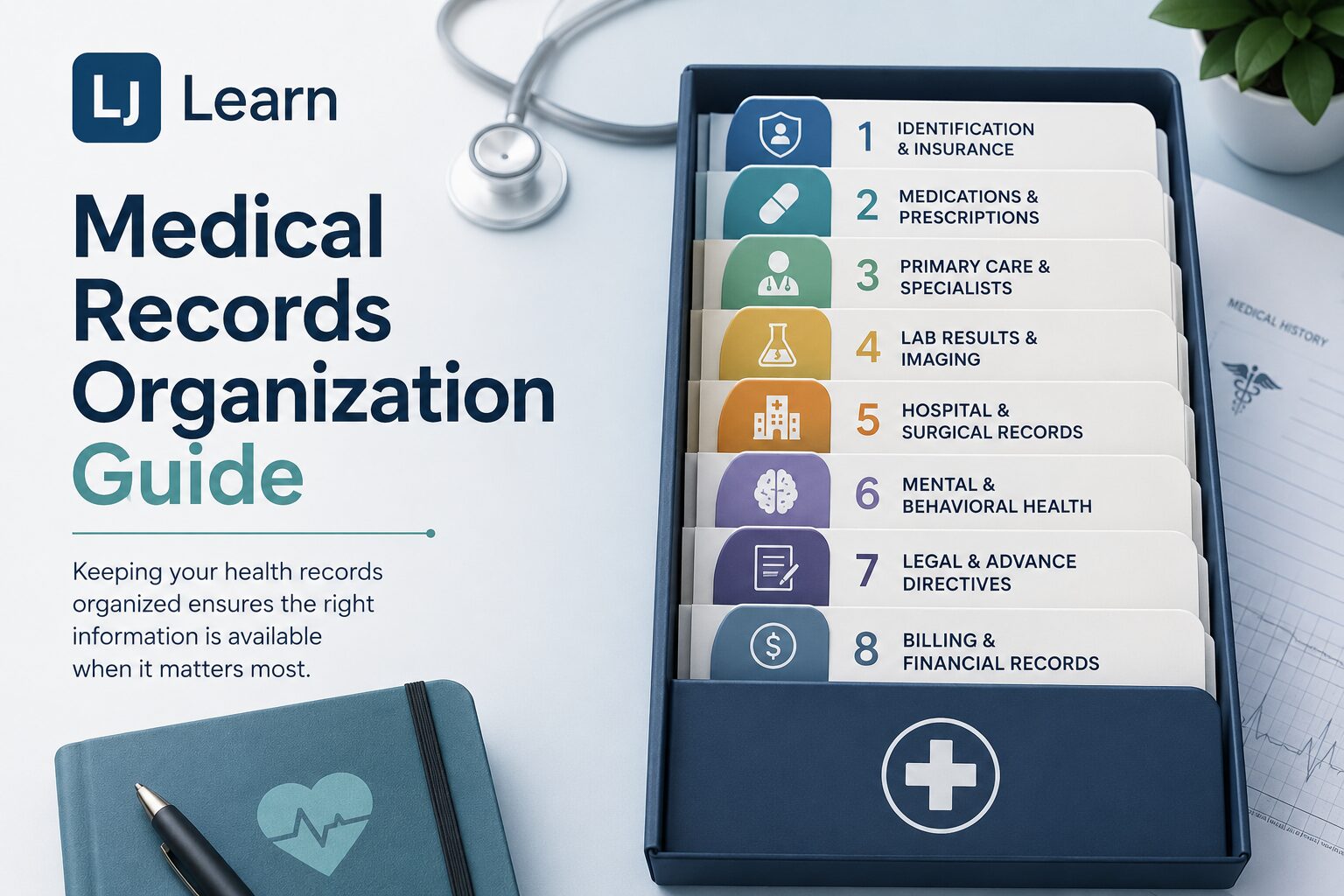
The 8 Core Categories
Organize every document into one of these groups:
- Identification & Insurance — Insurance cards, Medicare/Medicaid cards, Social Security card (secure copy), photo ID copy, and Explanation of Benefits (EOBs).
- Medications & Prescriptions — Current medication list (name, dose, frequency), pharmacy printouts, allergy documentation (drug and food), supplement tracker, and vaccination records.
- Primary Care & Specialists — Annual wellness visit summaries, specialist referral letters, diagnosis/problem list, care plans, and after-visit instructions.
- Lab Results & Imaging — Blood work panels, urinalysis results, pathology reports, radiology reports (X-ray, MRI, CT, ultrasound), and imaging discs or digital files.
- Hospital & Surgical Records — Discharge summaries, operative notes, anesthesia records, inpatient medication logs, and hospital billing itemization.
- Mental & Behavioral Health — Psychiatric evaluation summaries, psychological testing reports, crisis plans, and substance use treatment records. Store separately with extra privacy precautions.
- Legal & Advance Directives — Healthcare Power of Attorney, Living Will, POLST/MOLST form, DNR orders, and signed HIPAA authorization forms. Share copies with family and all primary providers.
- Billing & Financial Records — Provider invoices, insurance claim submissions, denial letters, appeal correspondence, and FSA/HSA receipts.
💡 Pro Tip
Create a one-page Medical Summary Sheet for each family member: date of birth, blood type, allergies, current medications, primary diagnoses, emergency contacts, and insurance info. Keep a copy in your wallet, your car, and your phone photos.
How Long to Keep Each Record
- Advance Directives and Power of Attorney — Keep permanently; update rather than discard.
- Vaccination records — Keep permanently; required for school, travel, and employment.
- Surgical and major procedure records — Keep for life; affects future clinical decisions.
- Diagnosis and treatment history — Keep for life; the baseline for all future care.
- Lab results and pathology reports — 10 years minimum.
- Hospital discharge summaries — 10 years minimum.
- Insurance EOBs and claim records — 7 years (IRS medical deduction audit window).
- Billing statements and receipts — 7 years.
- Prescription and medication records — 5 years.
- Routine visit summaries — 5 years.
- Radiology images — 5 years.
- Mental health treatment records — 7–10 years (state law varies; err conservative).
- Minor children’s records — Retain until they are old enough to manage records themselves.
Never discard medical records in regular trash. Use a cross-cut shredder for paper and a certified data-destruction service for drives or discs.
Storage Options
A hybrid approach works best for most families:
- Physical binder for critical documents you may need to hand a provider immediately.
- Encrypted cloud folder (Google Drive, iCloud, or similar) for your full digital archive.
- Patient portal (MyChart, etc.) as your ongoing source for new records directly from providers.
- Wallet card or phone photo of a one-page summary for emergencies.
Use a consistent file naming format: LastName_FirstName / Year / Category / YYYYMMDD_Description.pdf
Your One-Page Medical Summary
Create a single summary sheet for each family member and keep it in your binder, your car, and your phone’s camera roll. Include:
- Full name, date of birth, blood type
- Known allergies (drug and food)
- Current medications with dosages
- Active diagnoses
- Primary care physician and contact
- Insurance carrier and member ID
- Emergency contacts with relationship
Emergency Access
Follow the three-location rule: your emergency information should exist on your person, in your home, and with a trusted contact.
- Smartphone — Set up Medical ID (iPhone Health app) or Emergency Info (Android). First responders can access this from your lock screen.
- Refrigerator file — Place a sealed envelope labeled “Emergency Medical Info” on your fridge door. Include your one-page summary and any DNR or POLST form. Emergency responders are trained to check there.
- Trusted contact — Designate one person who knows where your records are and has remote access. Ensure you have a signed HIPAA Authorization Form on file with your providers so they can legally communicate with your contact.
- Travel packet — When traveling, carry a printed summary, insurance card copies, prescription labels, and a physician letter for any controlled substances.
Quick-Start Action Steps
- Collect all paper records from around your home.
- Log into every patient portal you have and download your records.
- Request missing records from providers — you have a legal right to them under HIPAA.
- Scan paper documents to PDF using the consistent naming format above.
- Create a one-page summary for each family member.
- Store a physical copy in a fireproof, waterproof location.
- Upload your digital archive to an encrypted cloud folder.
- Set up Medical ID on your smartphone today.
- Complete a Healthcare Power of Attorney and Advance Directive if you haven’t.
- Set a calendar reminder to review and update everything annually.
This guide is for organizational purposes only and does not constitute medical or legal advice. Consult a healthcare attorney for state-specific requirements regarding advance directives and HIPAA authorization.
Thanks for Reading!
Looking for more insights, exclusive offers, and expert tips? Stay connected with the LJ Learn newsletter! Join our community of curious minds and passionate learners to continue your lifelong learning journey.